
Your integrations.A clearer perspective.
MuleSoft Anypoint monitoring in your pocket. See what is running across CloudHub and Hybrid, find what needs you, and go straight to the logs.
Free to download · Explore a sample workspace without signing in
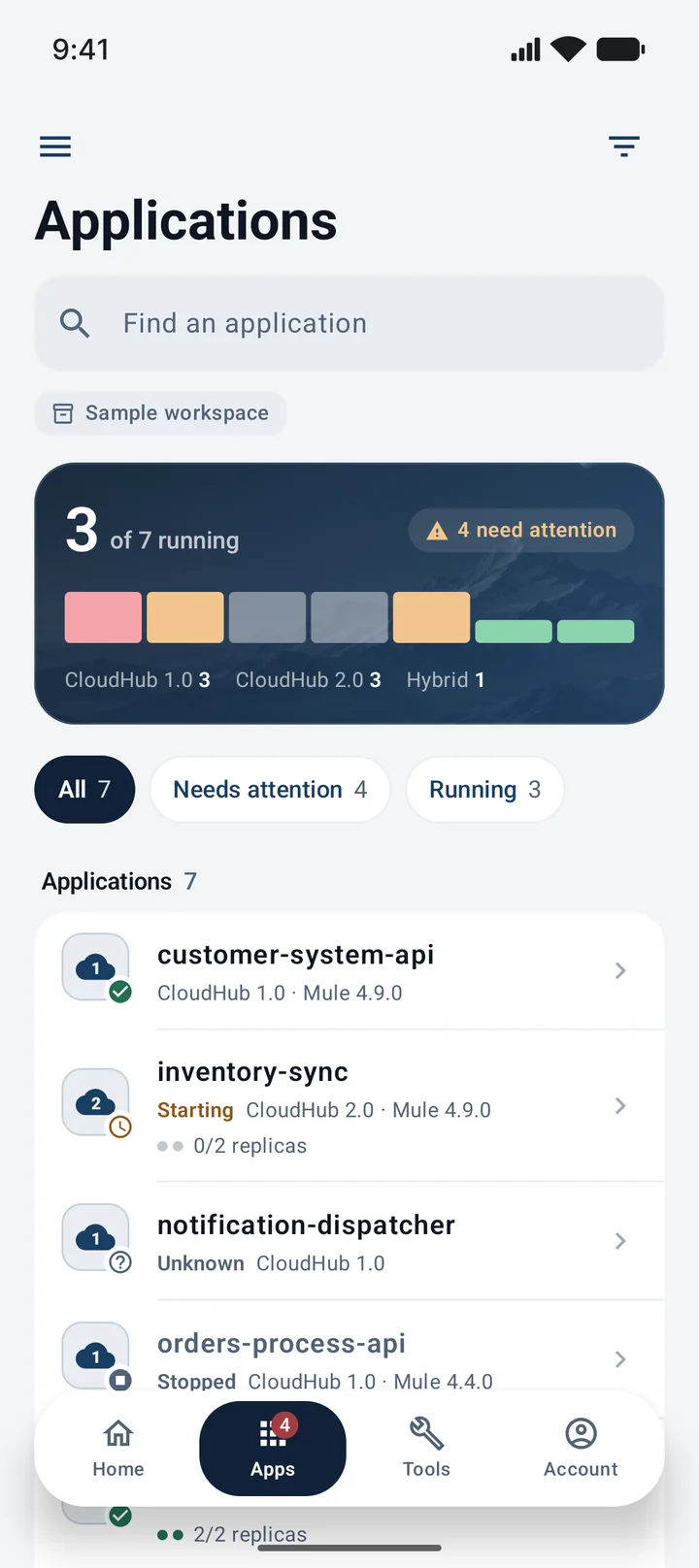
Built for every Anypoint runtime you operate
- CloudHub 1.0
- CloudHub 2.0
- Hybrid
- iPhone & Android
- Light & dark
What’s new in Muleye 2
Rebuilt from the ground up for the people on call.
Muleye 2 is a complete native rewrite with a quieter navy design, clearer information hierarchy and responses that keep up with your thumb.
Rebuilt natively
SwiftUI on iPhone and Jetpack Compose on Android. Faster, smoother and at home with system text sizes, VoiceOver and TalkBack.
A calmer overview
Home opens on what is running and what needs a closer look, grouped by runtime, before you dive into any one application.
States you can trust
Unknown or disconnected does not mean stopped. Partial and unavailable data is labelled as such, never quietly hidden.
Try it in seconds
Explore a complete sample workspace with fictional data before you connect your own Anypoint Platform account.
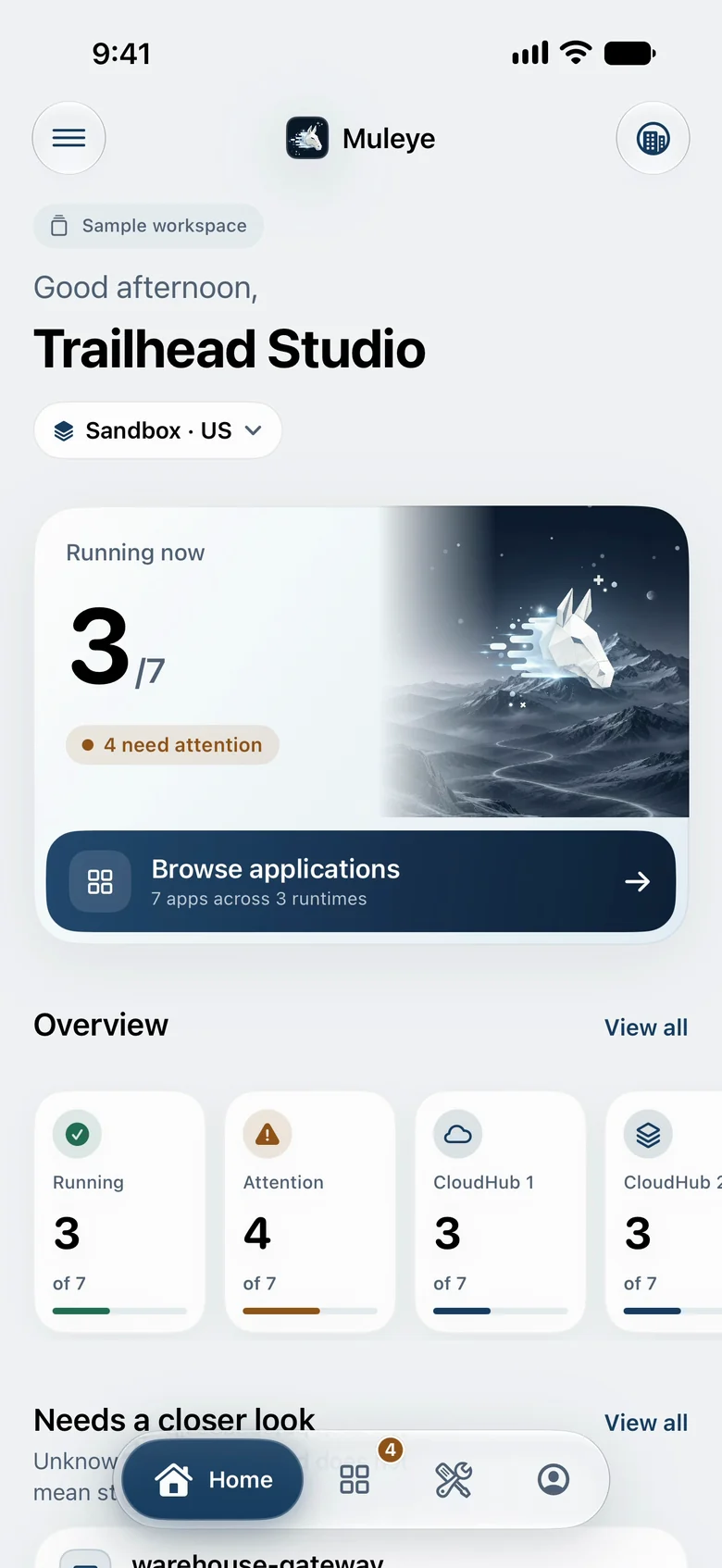
Home
Everything that matters, before you open a single app.
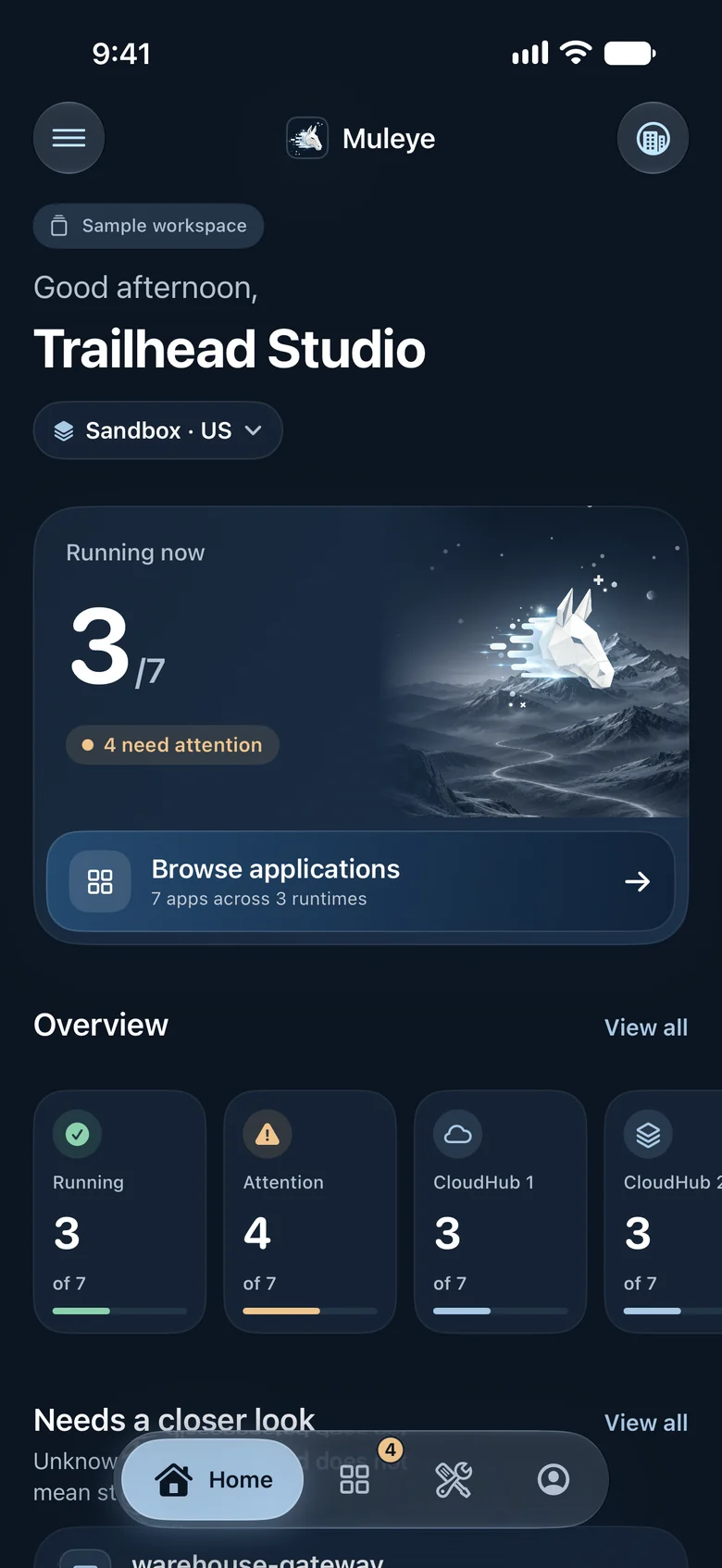
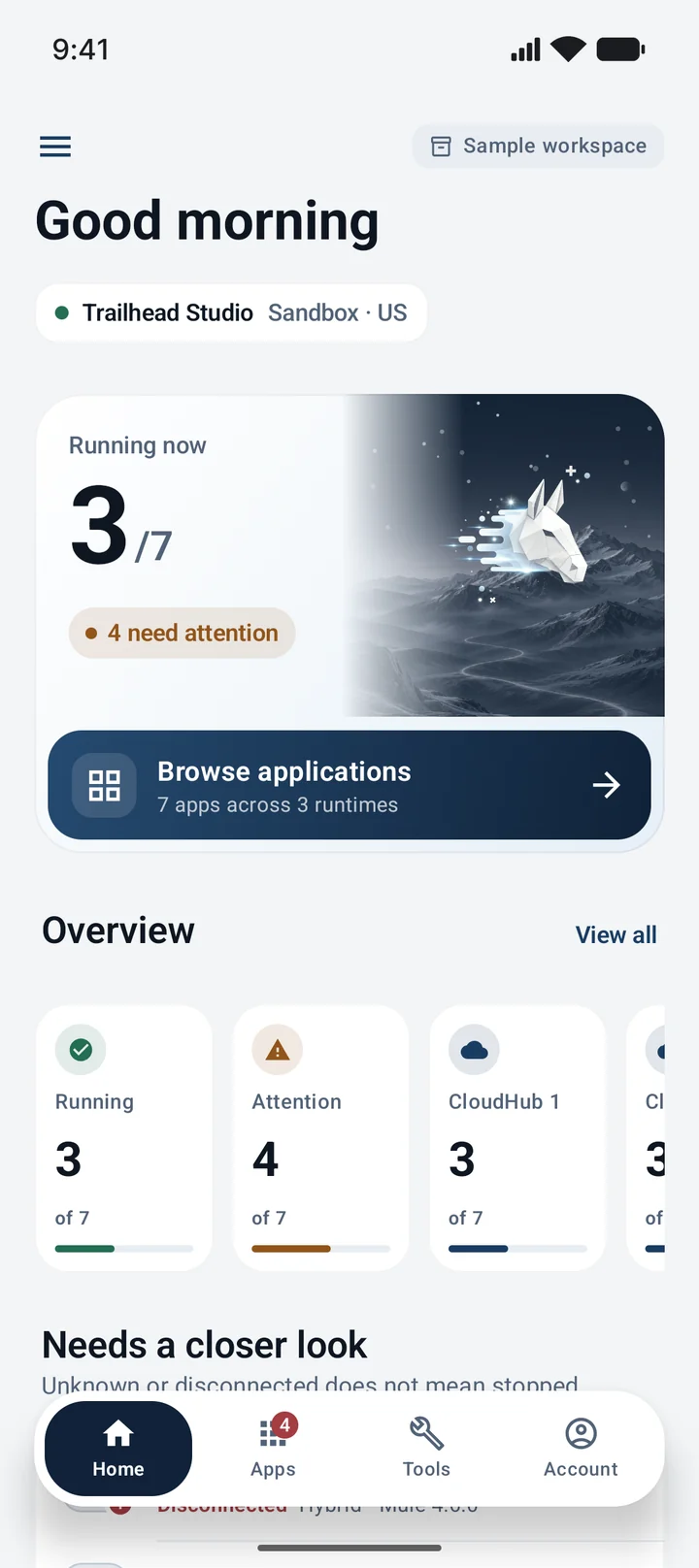
Home answers the first question on every call: is it running? Pick an environment and see the count, what needs attention and how each runtime is doing.
- Running and attention counts for the selected environment
- “Needs a closer look” separates unknown and disconnected from stopped
- Overview by runtime: CloudHub 1.0, CloudHub 2.0 and Hybrid
- Switch business groups and environments in one tap
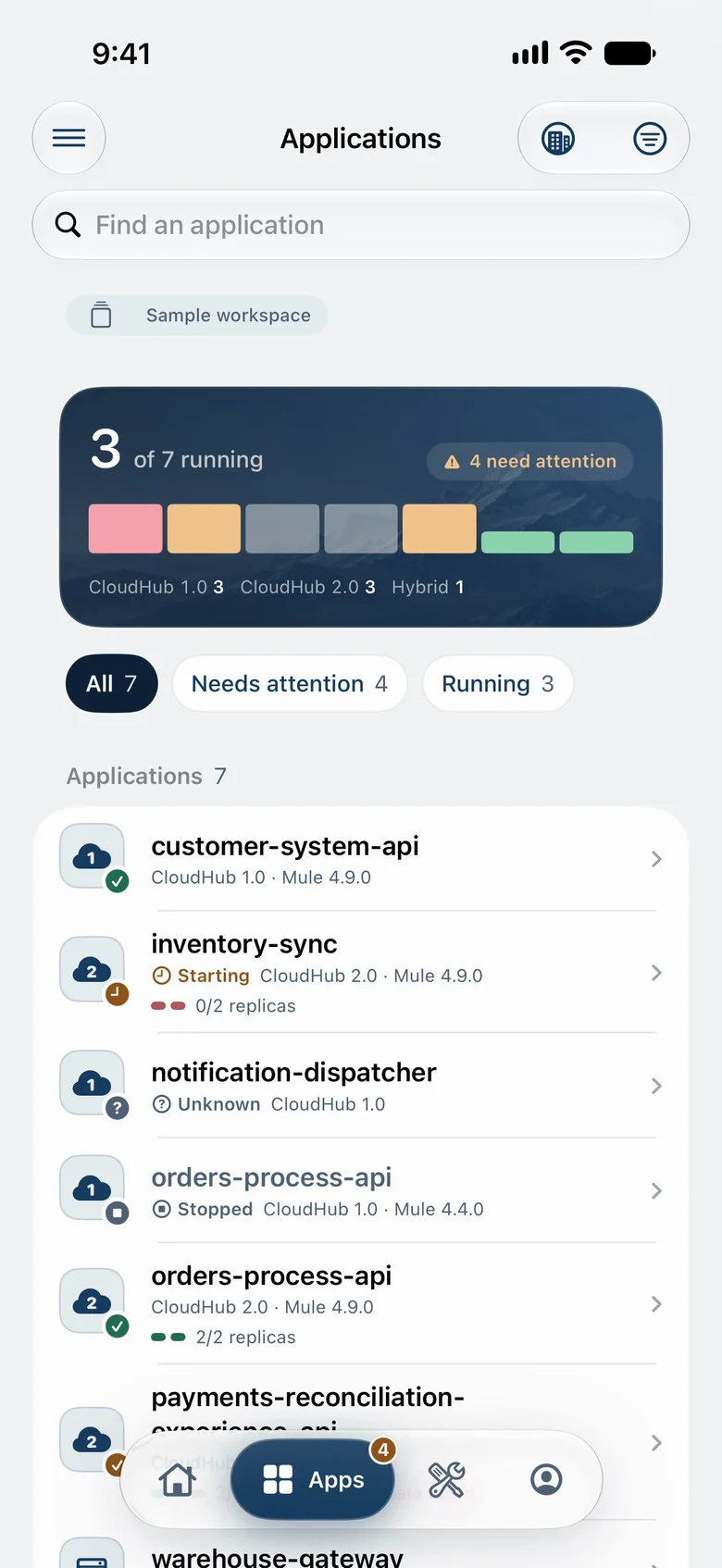
Applications
Find the one that needs you, fast.
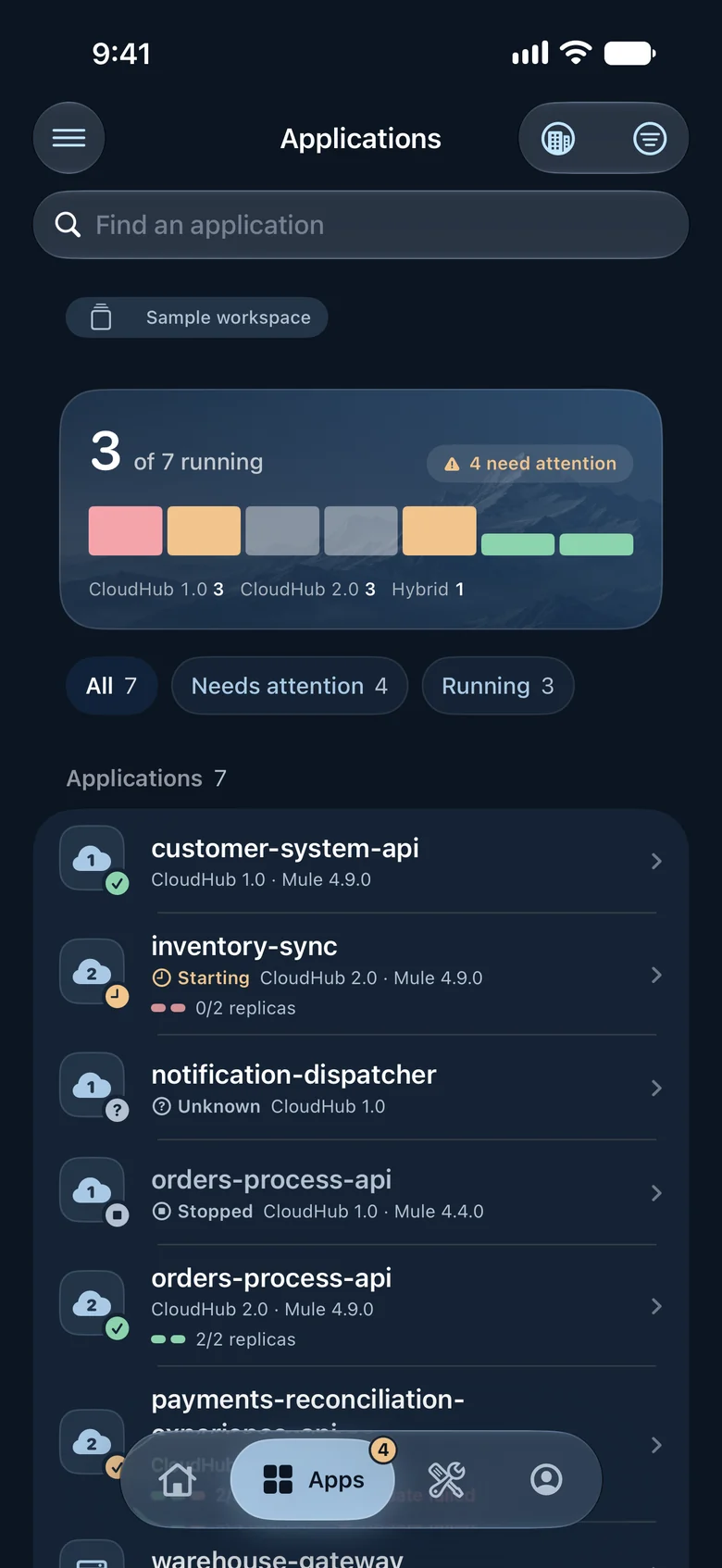
A compact, readable list for every application in the environment, with runtime, Mule version and status on every row.
- Search, filter by status and sort by name, attention or runtime
- Same-named applications in different runtimes stay distinct
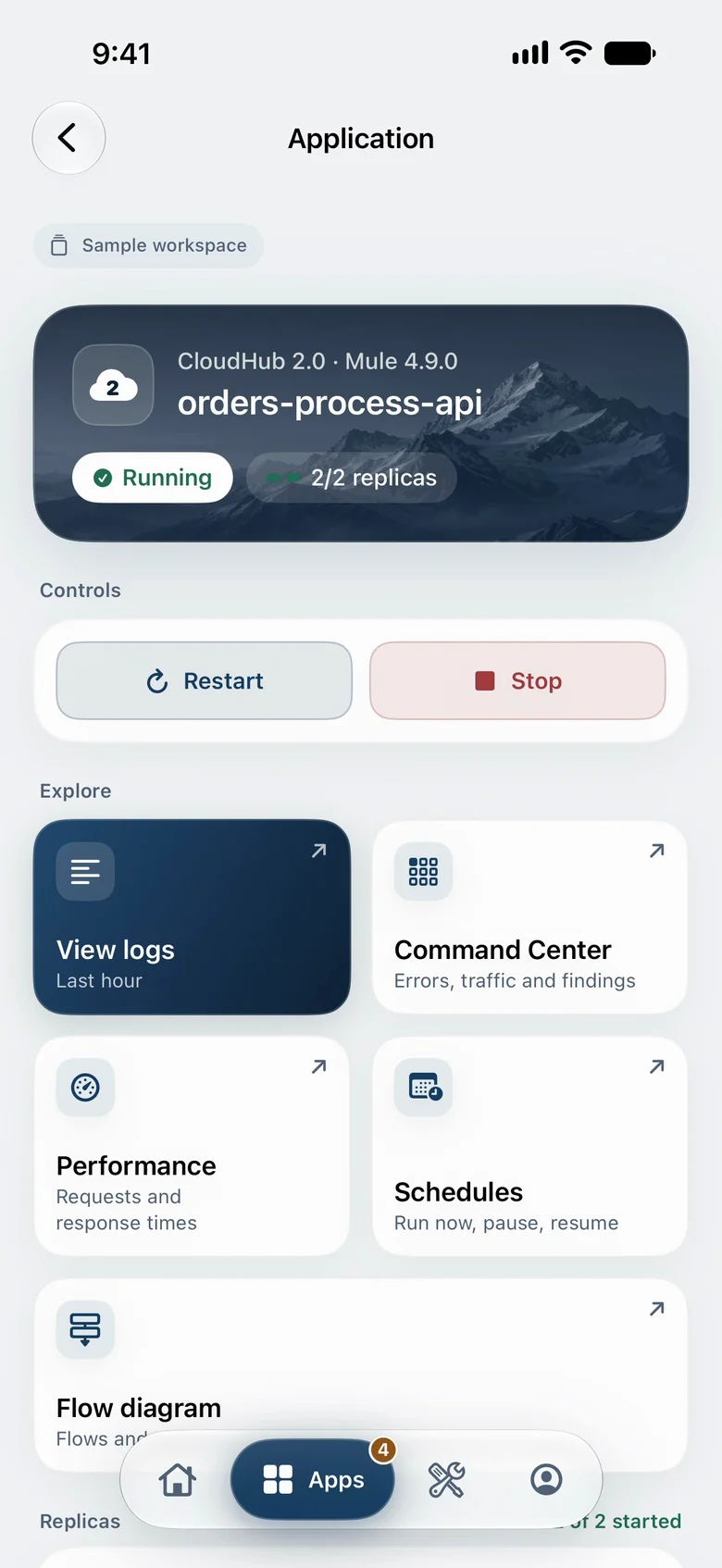
- Details show replicas, deployment, artifact and region
- Restart or stop with confirmation, verified with Runtime Manager
Logs
Go straight to the logs.
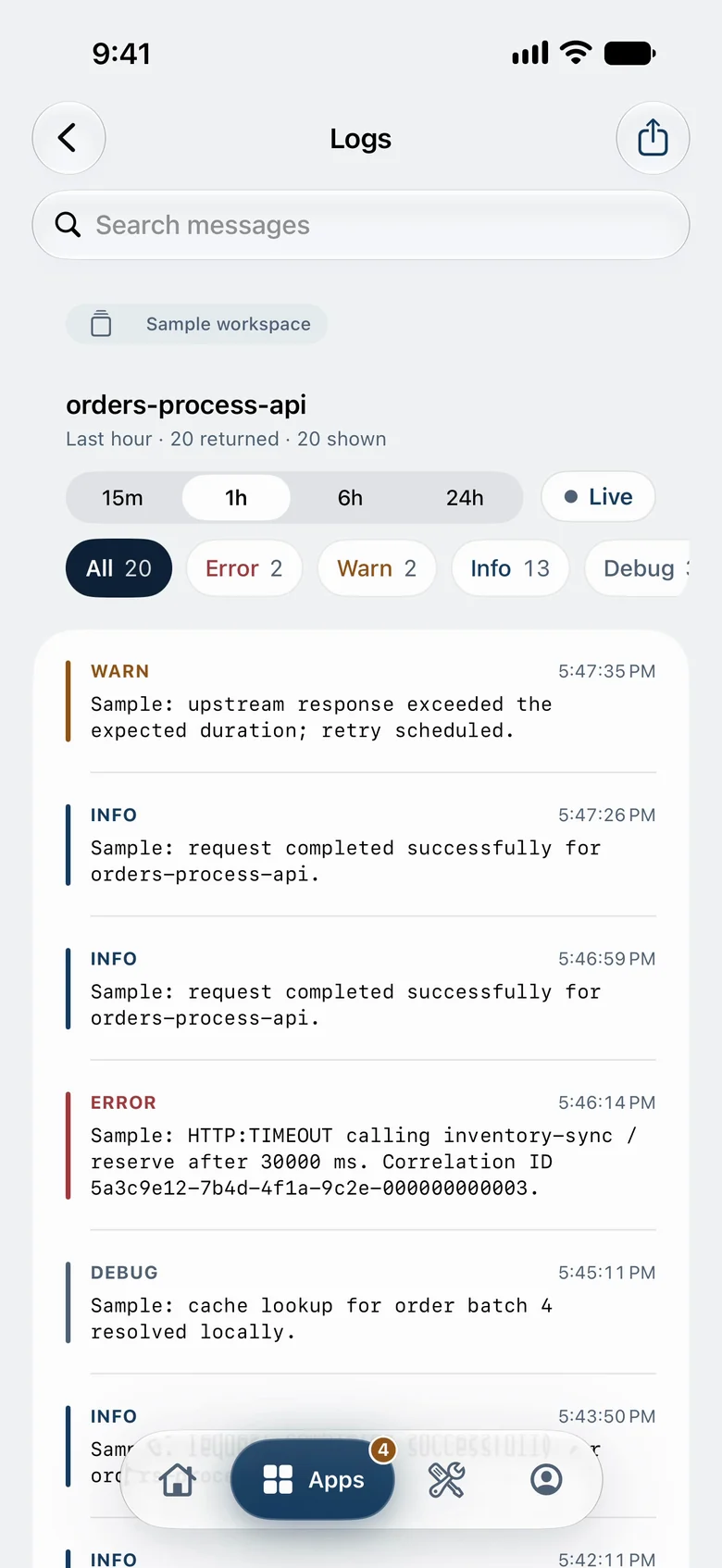
From any application, jump into its logs with the time window and levels that matter. When things are moving, follow along live.
- Windows from 15 minutes to 24 hours
- Error, warning, info and debug filters with counts
- Search messages and share a line with your team
- Live tail on Muleye Pro
Go deeper
From a red badge to the reason behind it.
Diagrams, performance, health and alerts are built in, so the next answer is always one tap away.
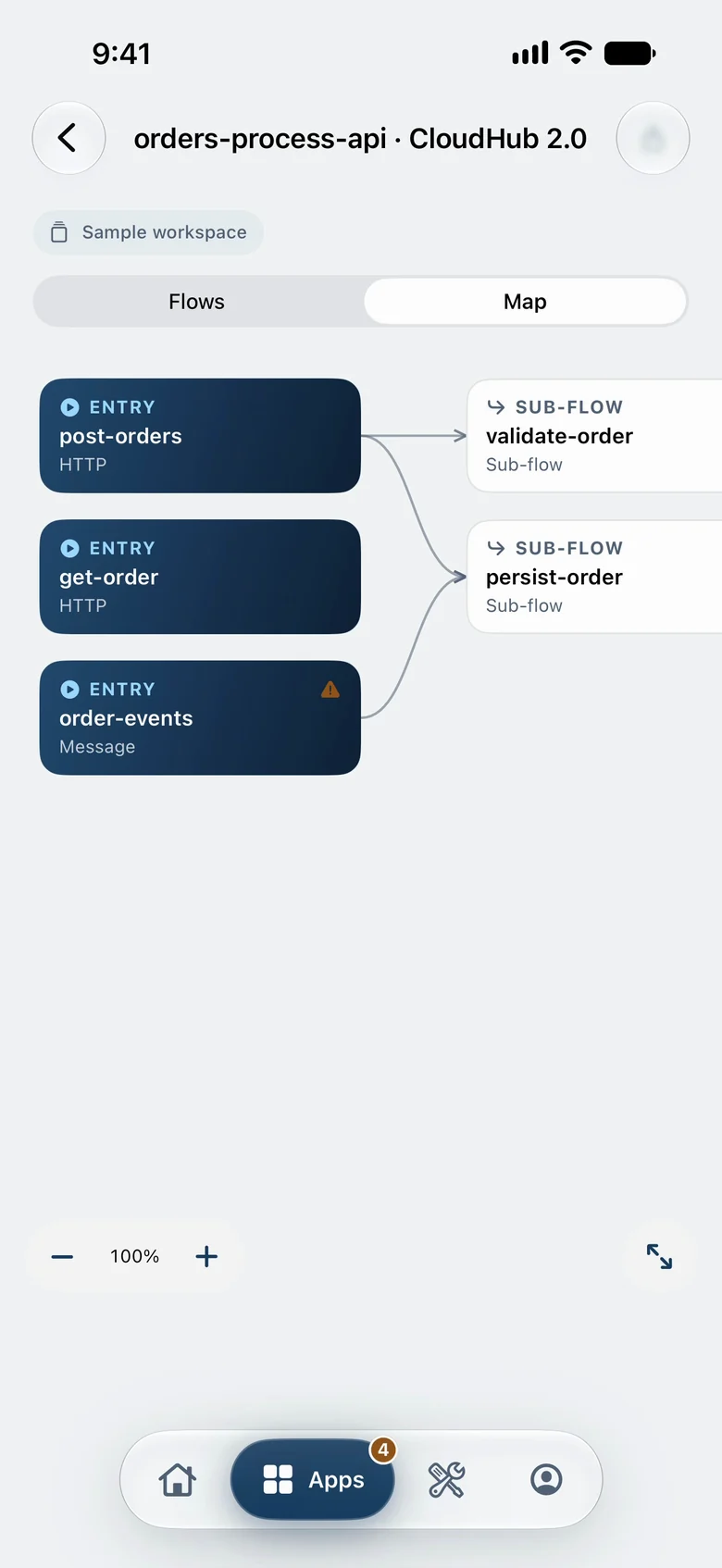
See how an application is wired.
For CloudHub 2.0 applications, Muleye reads the deployed artifact and draws entry points, sub-flows and the systems they touch, so you can reason about an incident without opening Studio.
- Entry points, sub-flows and outbound systems
- A zoomable map with flow references
- Unresolved references are labelled, not hidden
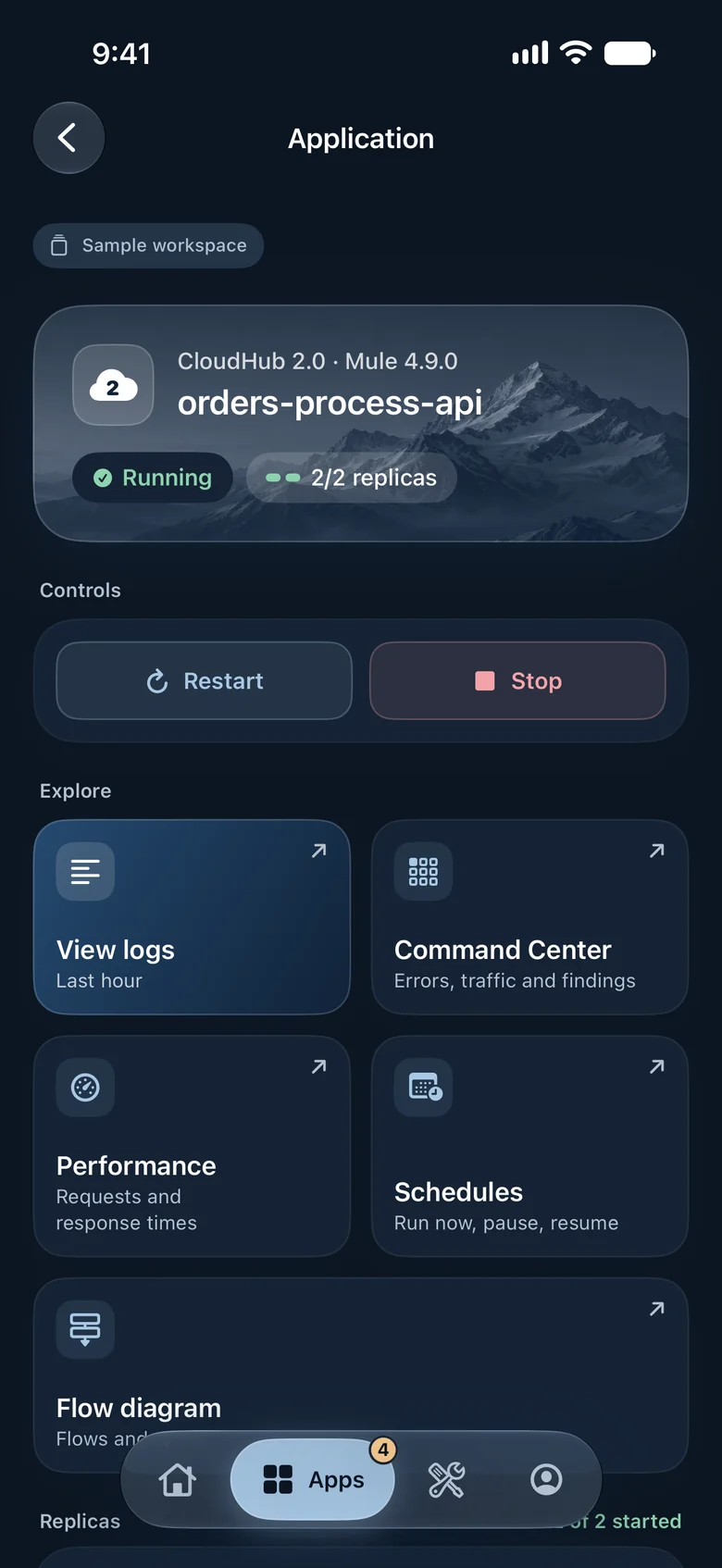
Dark mode
Designed for the 2 a.m. page.
Every screen has a considered dark appearance that is easy on the eyes and keeps status colors readable.
Android
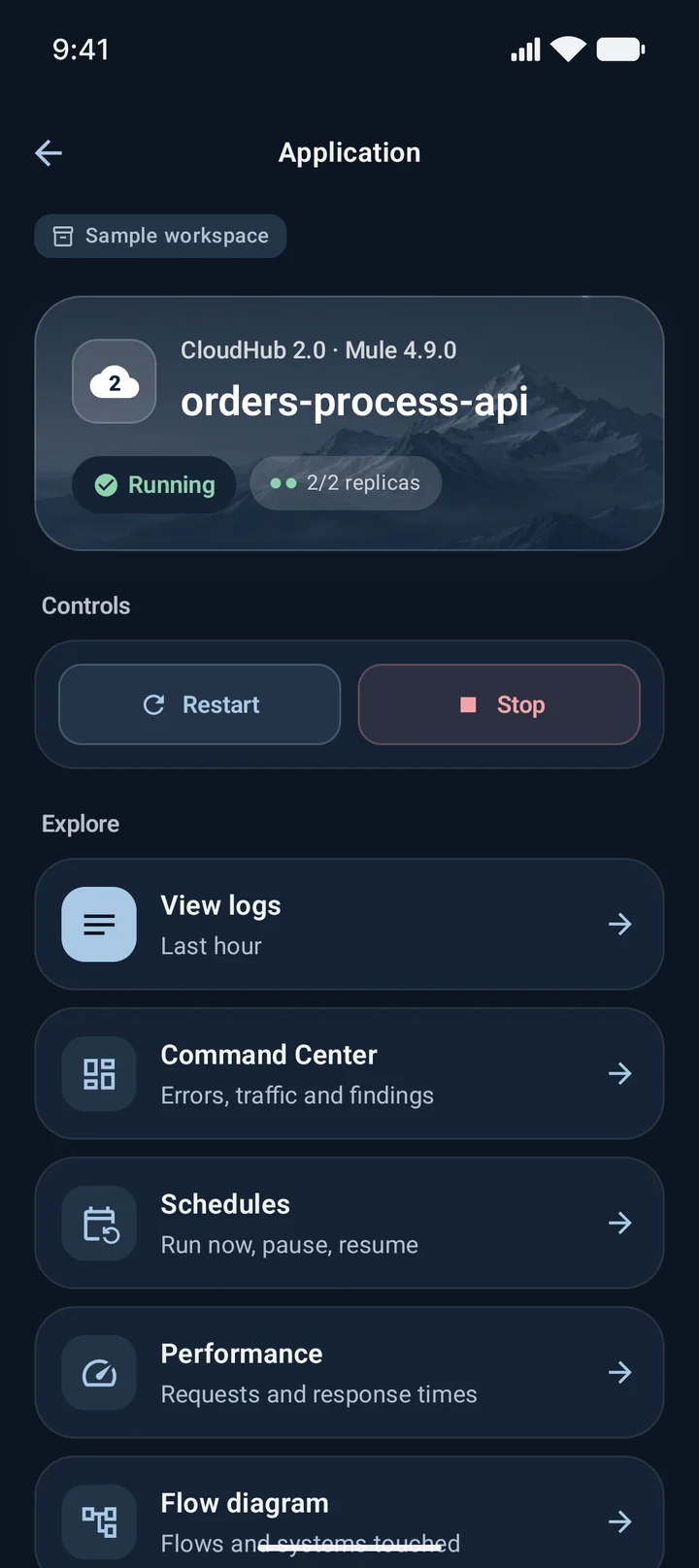
First-class on Android, too.
The same clear overview, the same truthful states and the same toolkit, built with Jetpack Compose for Android phones.
- Continue with Google or sign in with email
- Home screen widget for your environment
- TalkBack labels and large-text layouts throughout
- One Muleye Pro subscription across iPhone and Android
Toolkit
The Anypoint tools you reach for, in your pocket.
Beyond monitoring, Muleye brings the everyday operations of Runtime Manager, Anypoint MQ, Object Store and API Manager to your phone.
Application controlsPRO
Start, stop and restart, confirmed first and verified with Runtime Manager.
Live logsPRO
New log lines every few seconds while you watch.
Log IntelligencePRO
Recurring errors and correlation-ID traces across applications.
Command CenterPRO
Traffic, errors, downstream latency and explained findings.
Compare environmentsPRO
Side-by-side status of the same applications across environments.
SchedulesPRO
Run a scheduler now, pause it or resume it.
Anypoint MQPRO
Queue depth, exchanges and monthly usage.
Object StorePRO
Browse stores, partitions and keys.
API ManagerPRO
APIs, policies, contracts and client applications.
API GovernancePRO
Conformance, severity and automated policies.
Hybrid servers
Read-only view of servers, server groups and clusters in Runtime Manager.
Diagram exportPRO
Share flow diagrams as PNG or PDF.
More accountsPRO
Switch between several Anypoint organizations.
Trust
Built to be trusted with production.
Muleye is designed for people who are responsible for live integrations. It is careful by default and clear about what it knows.
Secrets stay on your device
Tokens live in the iOS Keychain or behind the Android Keystore.
Your role, nothing more
Muleye uses your Anypoint account and sees only what your permissions allow.
Confirm before you change
Controls ask first and verify the outcome with Runtime Manager.
Honest data
Stale, partial and unavailable results are labelled, so you never act on a guess.
Pricing
Start free. Go Pro when you need more.
Muleye is free to download and monitor. Muleye Pro adds controls and deeper tools, with one subscription across iPhone and Android.
Muleye
Everything you need to see what is running.
Free
- Home overview and widgets
- Applications across every runtime
- Application details and deployments
- Recent logs with filters and search
- Flow diagrams for CloudHub 2.0
- Performance and Health
- Application and platform alerts
Muleye Pro
PRODeeper monitoring for the Mule applications you run.
Monthly or yearly
- Everything in Muleye, plus:
- Start, stop and restart applications
- Live logs and Log Intelligence
- Command Center and Insights
- Compare environments
- Schedules, Anypoint MQ and Object Store
- API Manager and API Governance
- Diagram export and more Anypoint accounts
Prices are shown in the app in your local currency. Subscriptions renew automatically and can be cancelled in your App Store or Google Play settings.
FAQ
Questions, answered.
Something else on your mind? We are happy to help.
Is Muleye made by MuleSoft or Salesforce?
No. Muleye is an independent app built for MuleSoft Anypoint Platform teams. It is not affiliated with, sponsored or endorsed by Salesforce or MuleSoft.
Which runtimes does Muleye support?
CloudHub 1.0, CloudHub 2.0 and Hybrid applications on servers registered in Runtime Manager. Each application shows its runtime and Mule version, and applications with the same name in different runtimes stay separate.
Can I try Muleye without an Anypoint account?
Yes. Choose “Explore sample workspace” on the welcome screen to use the whole app with fictional data. No sign-in is needed.
How do I sign in?
Create your Muleye account with Apple (iPhone), Google (Android) or email, then connect your existing Anypoint Platform account. Muleye only sees what your Anypoint role allows.
Where are my credentials stored?
Tokens are kept in the iOS Keychain or protected by the Android Keystore on your device. Muleye does not sell personal information.
Can Muleye change anything in my organization?
Browsing is read-only. Actions such as restarting or stopping an application ask for confirmation first, and Muleye checks the result with Runtime Manager.
How do alerts work?
Alerts are opt-in. When you turn them on, Muleye’s server checks one environment every five minutes and notifies you when an application changes state. MuleSoft platform incidents are sent to everyone with alerts on.
Does Muleye Pro work on both iPhone and Android?
Yes. Muleye Pro is a monthly or yearly subscription, and it follows your Muleye account to every device where you sign in.
How do I delete my account?
Open Account in the app and choose Delete account, or email support from your registered address with the subject “Account Deletion Request”.

See your integrations clearly.
Download Muleye for iPhone or Android and explore the sample workspace in under a minute.